
Ghostty Config
A visual config generator for the Ghostty terminal.
 View source
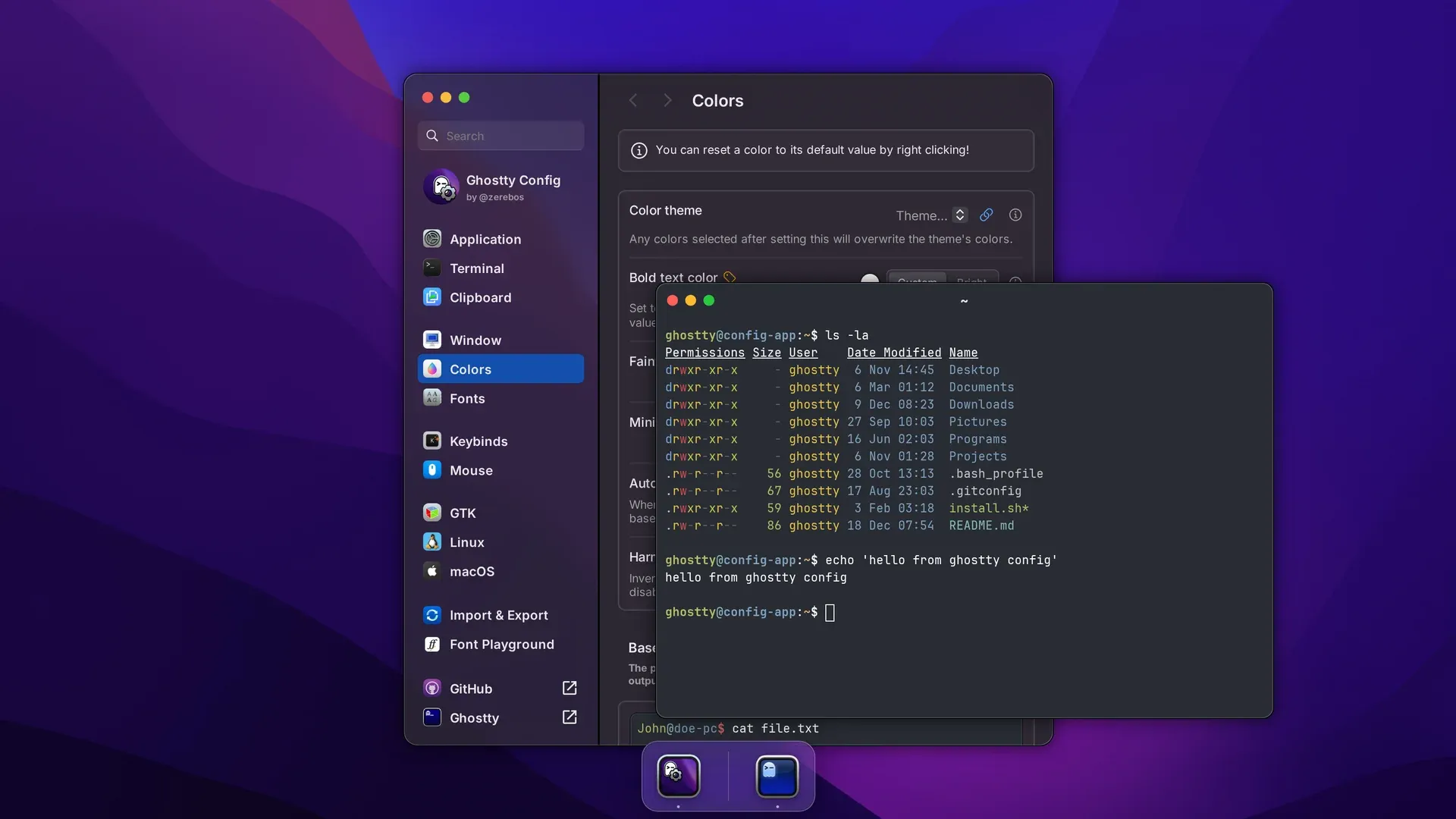
Ghostty is a very popular terminal emulator configured with a plain text file. That's great when you know what you want, but Ghostty has around 200 settings. Finding the right one usually means reading through the docs and guessing at the syntax. Ghostty Config turns that file into a settings app. You pick fonts, colors, cursors, keybinds, and everything else from real controls. You even get to see the result live, and export a config that only contains what you changed.
It's also, by a wide margin, the most popular thing I've built outside of BetterDiscord.
Where it started#
I started Ghostty Config on August 23, 2024, while Ghostty was still in its private beta. The first version came together over a long weekend. By the 26th it had settings pages, a font preview, a color picker, palette previews, basic keybinds, and import/export. It was also deploying live on GitHub Pages via GitHub Actions.
Then... it mostly sat. Ghostty went public at the end of December 2024, and people started finding the site and sending fixes. Before that, Phillip Hirsch had already added the first theme picker, which pulled Ghostty's color themes straight from GitHub.
Growing up#
I came back to it properly in 2026, and it's been through three releases since. Each one added a good chunk of new features.
v0.2.0 (February 2026)#
A keybind builder, a preview of the macOS app icon settings, a settings update for Ghostty 1.2 and 1.3, and new branding with new icons made by hand.
v0.3.0 (June 2026)#
Shareable config links, resetting any single setting back to its default, badges showing which platforms a setting works on and which Ghostty version added it, and a sidebar search modeled on macOS System Settings. Hosting also moved from GitHub Pages to Cloudflare Workers.
v0.4.0 (July 2026)#
Every setting moved into one registry, the preview became an interactive terminal, themes and icons started syncing themselves, and most settings got purpose-built controls like sliders, linked number inputs, and duration fields.
How it's built#
One registry for every setting#
Every one of Ghostty's settings is an entry in a typed registry. Each consists of its config key, its default, its description, and which control to show. The navigation, the settings pages, the search, and the previews are all generated from that registry. That means adding a setting is one entry instead of five edits across different files. Small codecs convert between the raw strings of a Ghostty config file and the values the UI works with. Tests cover the import and export flows. And since the app always knows each default value, the exported file only includes settings you changed.
Keeping up with Ghostty#
Ghostty moves quickly, so the app takes as much as it can straight from the source. The settings and their docs were first generated from Ghostty's own Config.zig. Now, when Ghostty updates, I use AI to help bring the registry up to date. Scripts pull Ghostty's key and action names to validate keybinds. A weekly GitHub Action regenerates the roughly 890 color themes from the upstream iTerm2-Color-Schemes collection, and a monthly one checks for new macOS app icons.
A terminal that isn't#
The live preview is a fake terminal window you can actually move around and type into. I prototyped it with GitHub Copilot first, trying a few real terminal emulators in the browser. That included ghostty-web, which would have run the real libghostty-vt via WASM. Eventually I threw out the prototypes and wrote something simpler myself. The version that stuck is plain HTML with a tiny pseudo-shell behind it. It has a pretend file system, 16 commands (including an ls that looks like eza), tab completion, and basic chained commands. When you change a color in the settings window, everything already on screen in the terminal re-themes in place.
Native-feeling controls#
A settings app for a native terminal should feel native, so everything from the controls to the window chrome is modeled on macOS Sequoia. To make it as convincing as possible, the dropdowns, sliders, color pickers, and number inputs are all fully custom components. That took a lot longer than it sounds. In fact, the commit history from that stretch includes Maybe a custom number input was the wrong call and, on the same day, I hate custom number types.